What Aktenlage does for you
You put the stack in the scanner. Aktenlage reads every letter, names it and files it in the right place.
Recognise content
Sender, date, amount and IBAN from every letter.
Split the stack
Aktenlage works out where each letter ends.
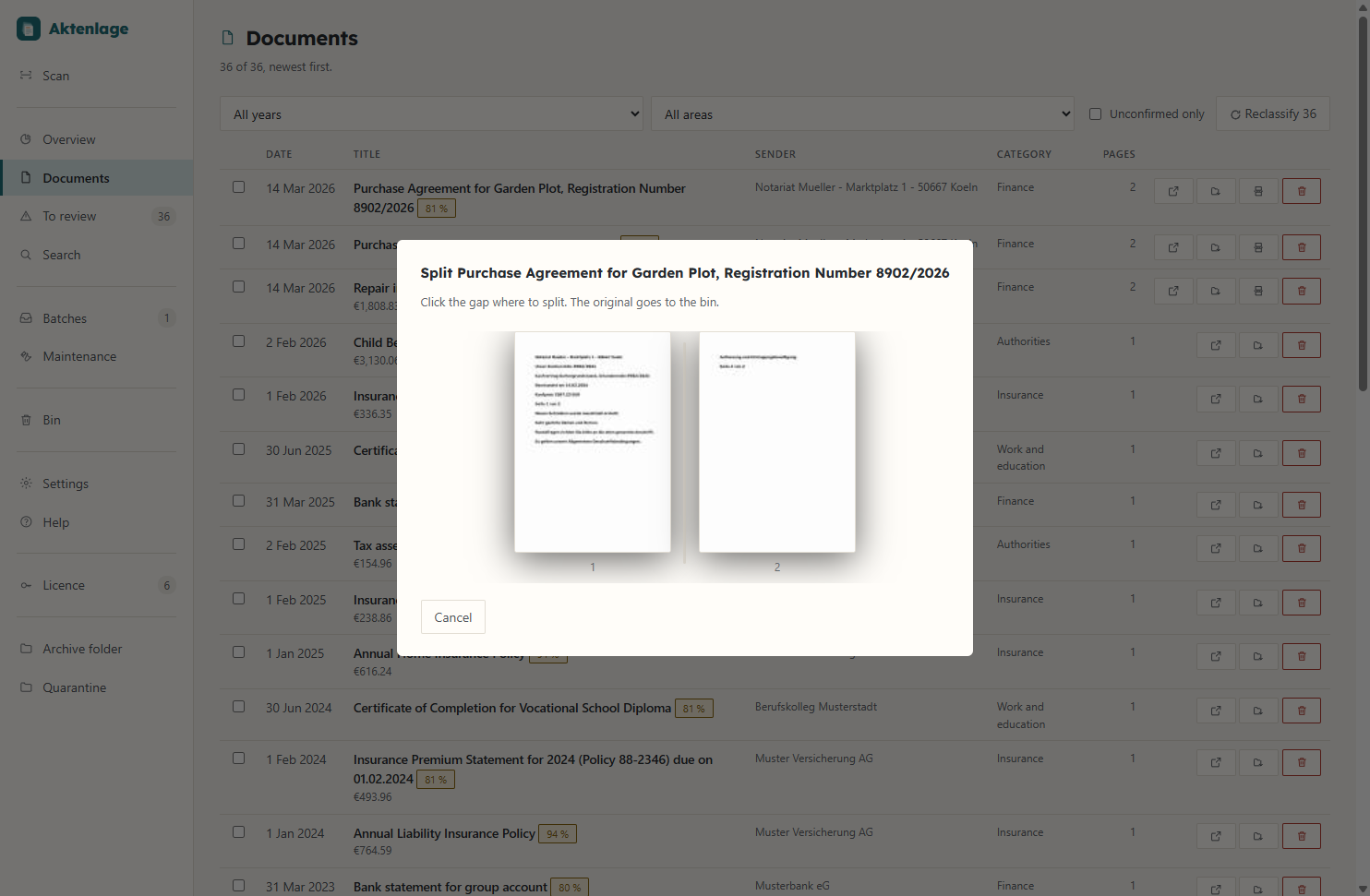
Review stack
You approve uncertain documents yourself.
Search
Full text across all documents, with filters.
Deadlines
Dates from the text, in your calendar if you like.
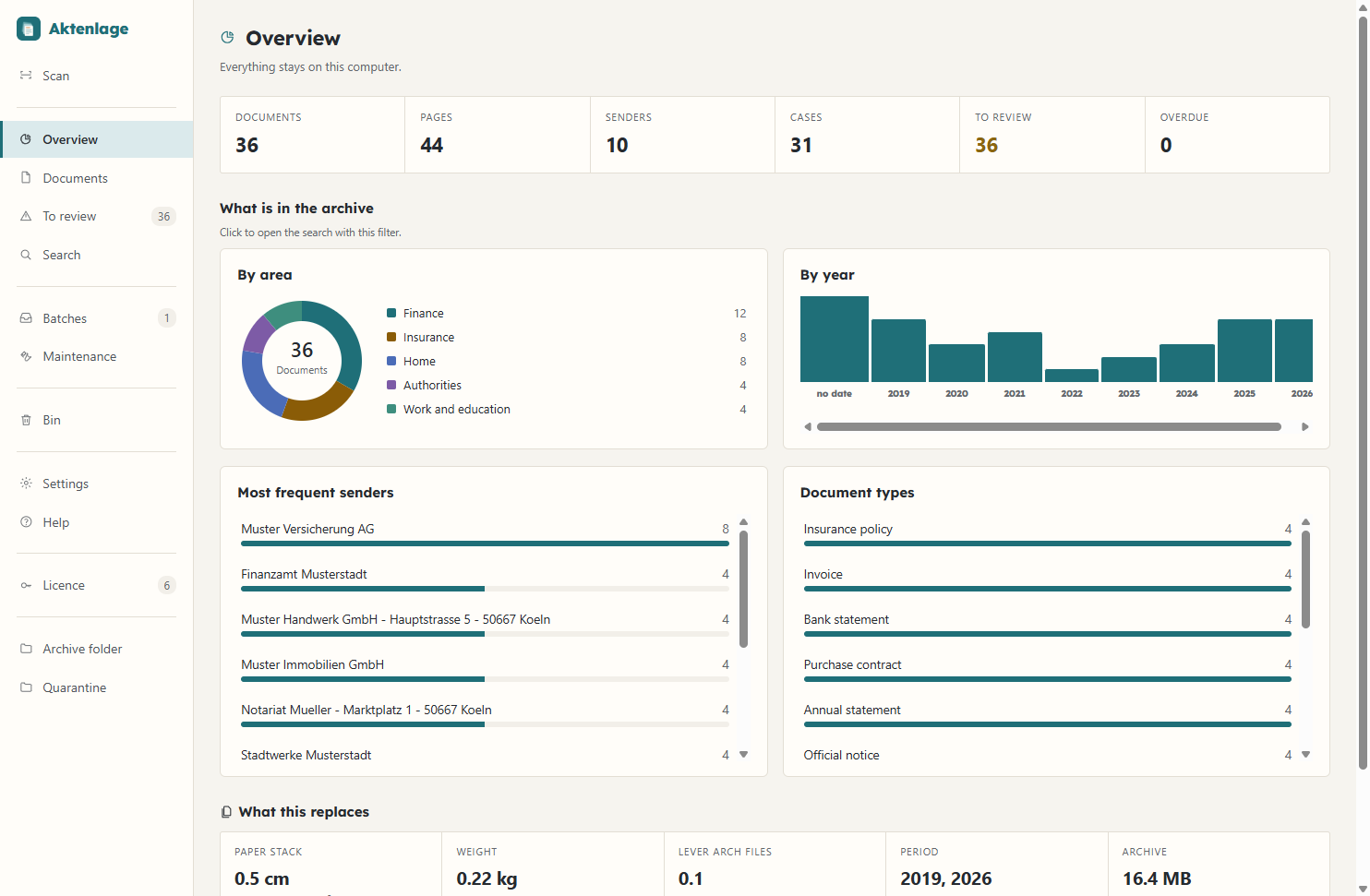
Overview
Your paperwork by year, area and sender.
From scanner to archive
- 1ScanPages arrive from the scanner unaltered
- 2PrepareStraighten pages, recognise text
- 3SplitNo separator sheets
- 4UnderstandSender, date, amount
- 5FileSearchable PDF with a clear name
Every letter gets a clear name
Aktenlage picks out the sender, date and amount and files the document in the right folder. Folder and file name follow a pattern you choose.
- IBANs and tax IDs only count if their check digit is right
- A language model on your computer writes the title and summary
- Every detail it finds links back to where it appears in the document
- Next to every PDF sits a readable text file with all the details
Folders and file names to your pattern
In the settings you decide what folders and files are called. The preview shows straight away what a file name will look like.
- Three templates: by year and category, by sender, or flat with the date first
- A slash in the pattern creates a subfolder
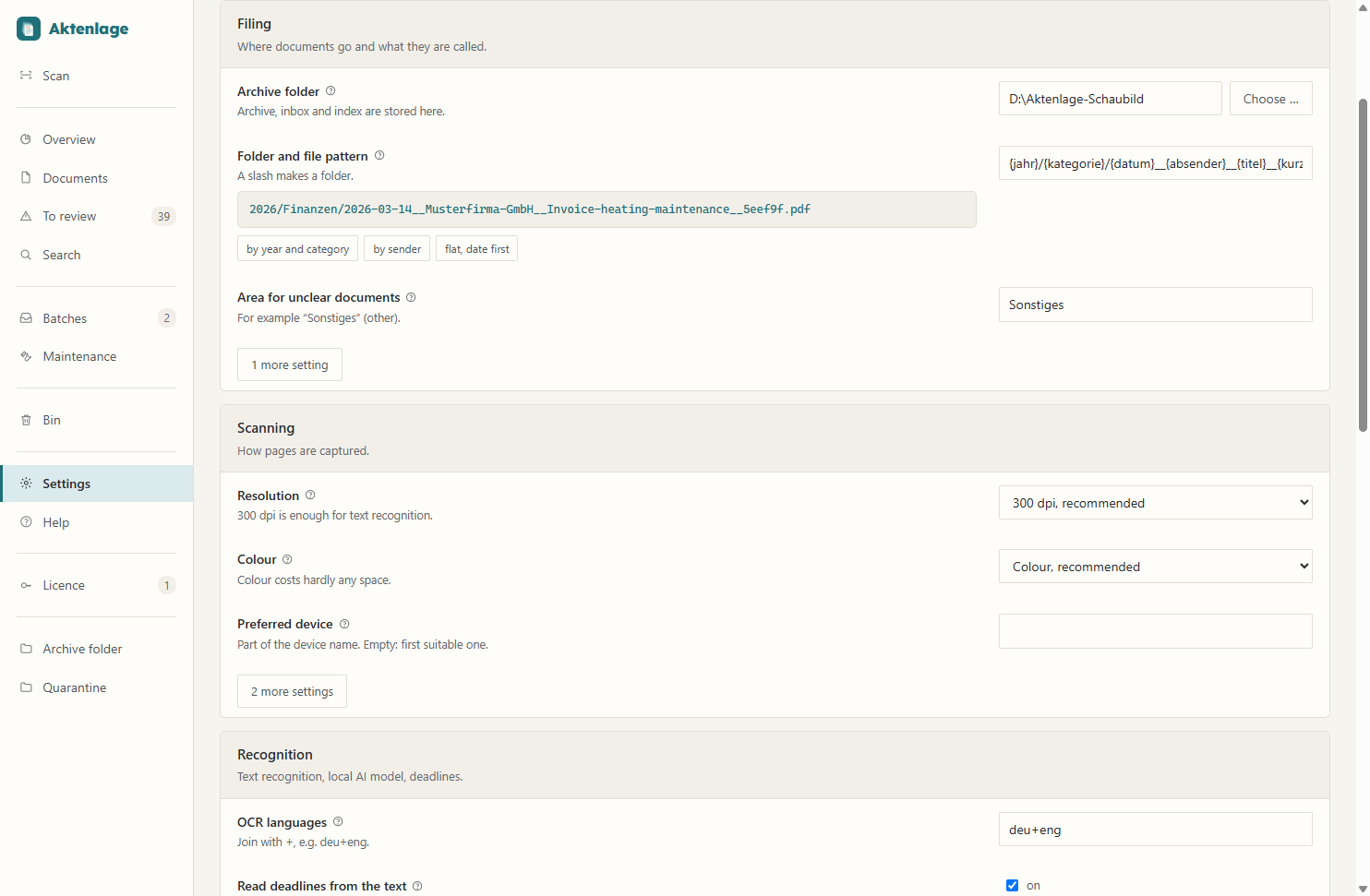
The preview shows the file name for a made-up example.
A whole stack in one go
You need no separator sheets. A page number, a new sender or a letterhead tells Aktenlage where one letter ends.
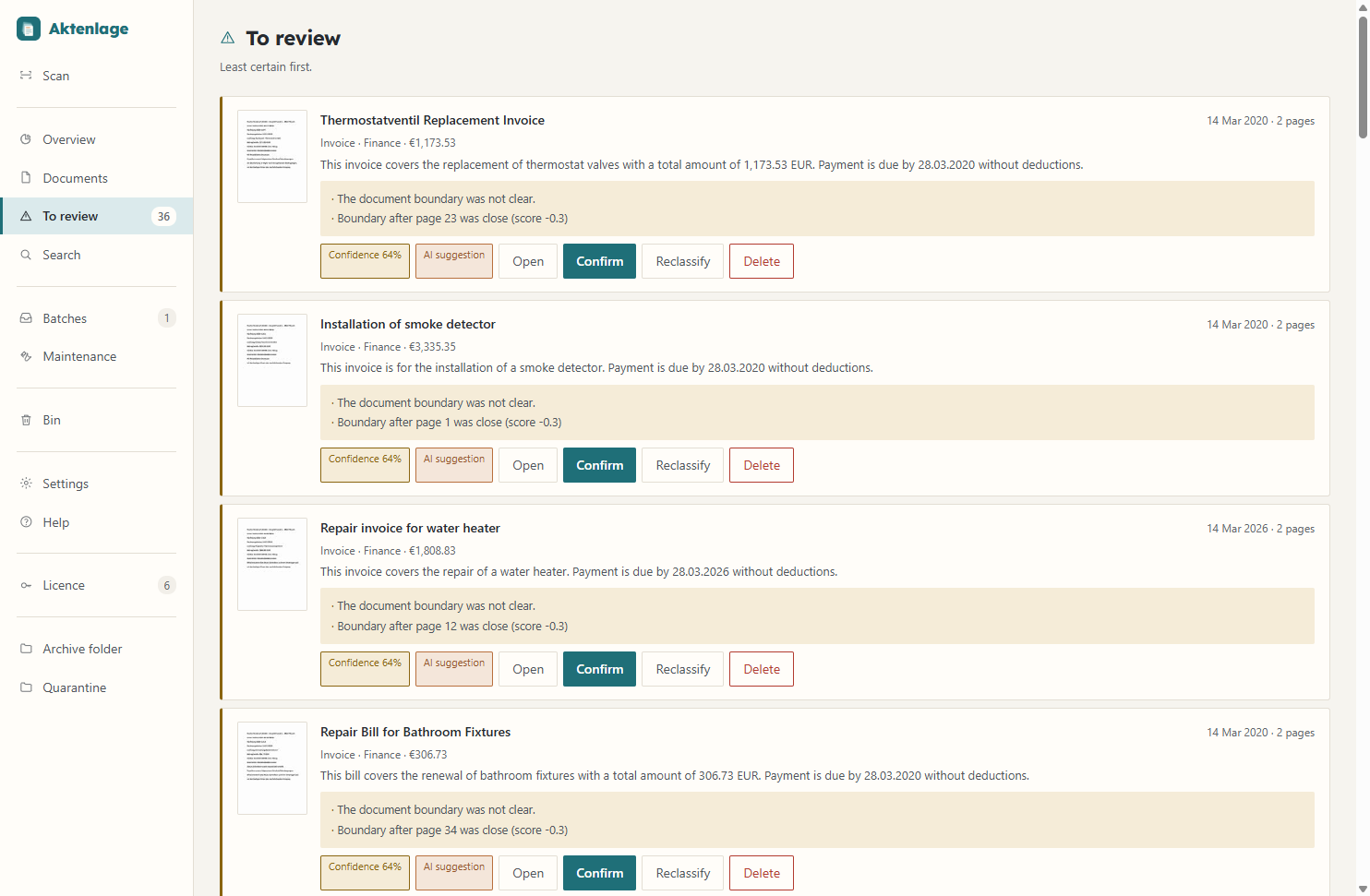
- Split. If two letters ended up in one document, a single click between the pages separates them.
- If documents belong together, you merge them into one
- Aktenlage sets blank backs aside, even when the front shows through
You approve every result
No document counts as checked until you have confirmed it. The rule is: when in doubt, keep it.
- Review stack. When Aktenlage is unsure about a document, it shows it to you for approval and explains why.
- Blank pages go into a quarantine area, from which you can bring them back
- If a similar letter is already in the archive, Aktenlage asks you
Duplicate letters stand out
If a letter is already in the archive, Aktenlage shows the existing one next to it. You decide whether one goes or both stay.
- Nothing is deleted without your decision
- “View” opens the document that is already in the archive
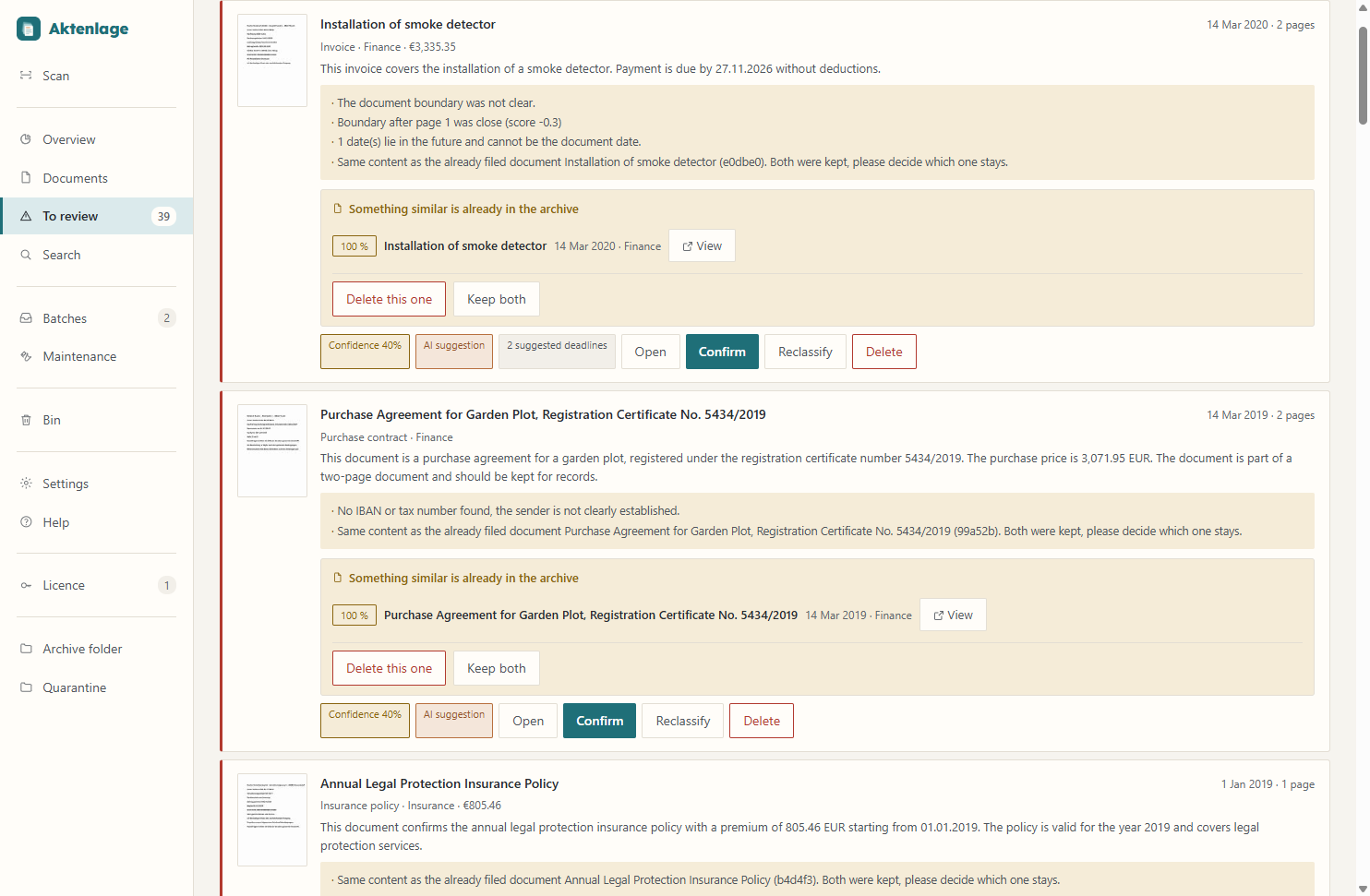
All details are made up.
Find any page in seconds
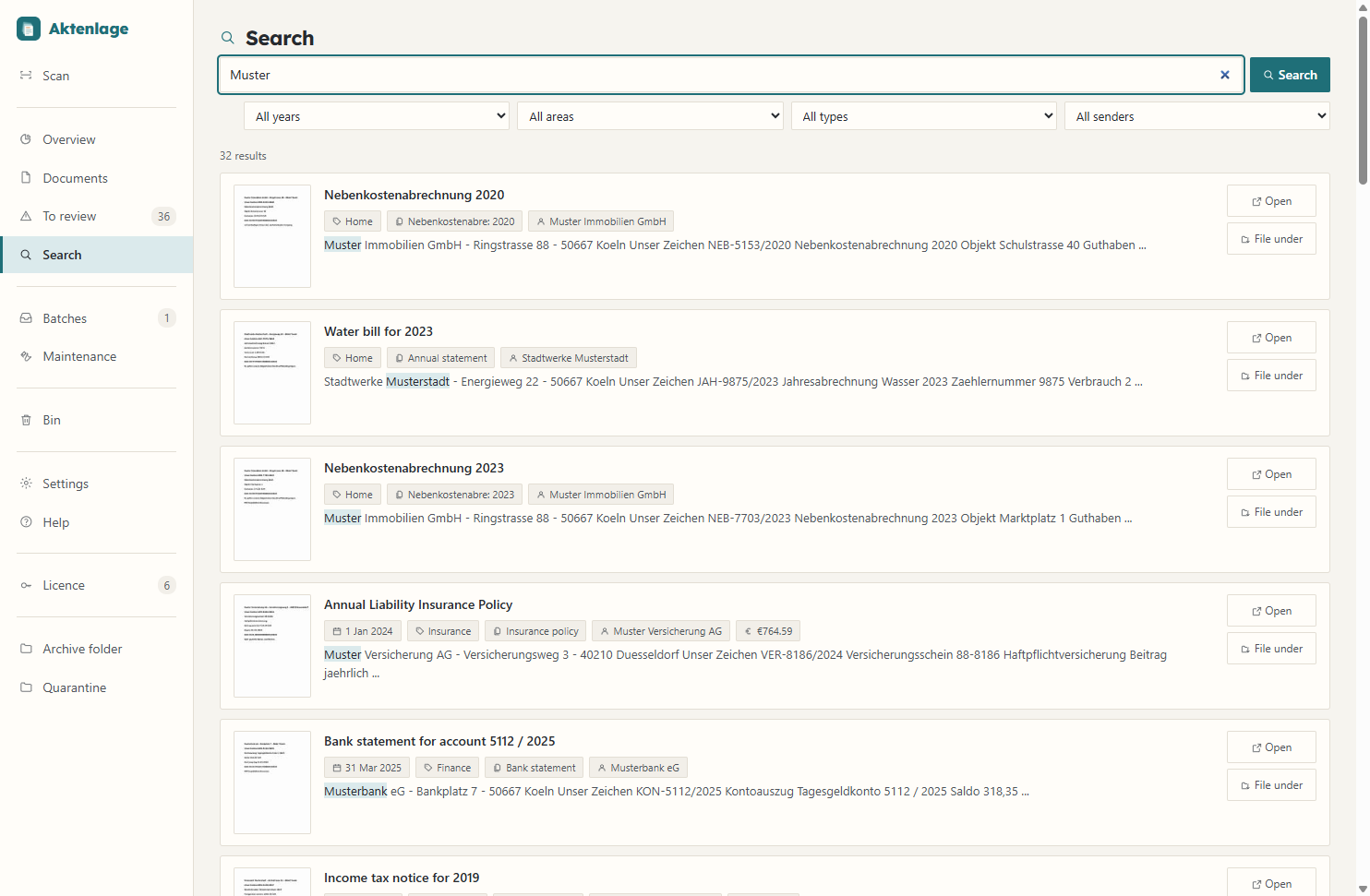
Aktenlage searches the text of every document. Matches are highlighted in the text excerpt.
- Search. Aktenlage searches the full text of every document, and you can filter by year, area, document type and sender.
- Each result shows a thumbnail, date, sender and amount
- Search runs on your computer, without the internet
Dates from your letters
If you wish, Aktenlage reads dates and deadlines from the text and shows what is due next. It is switched off by default, because not every number is a deadline.
- You see every deadline together with the letter it came from
- You tick off deadlines once they are done
- You can add deadlines to your calendar
- How long to keep documents is explained in the German guide to retention periods
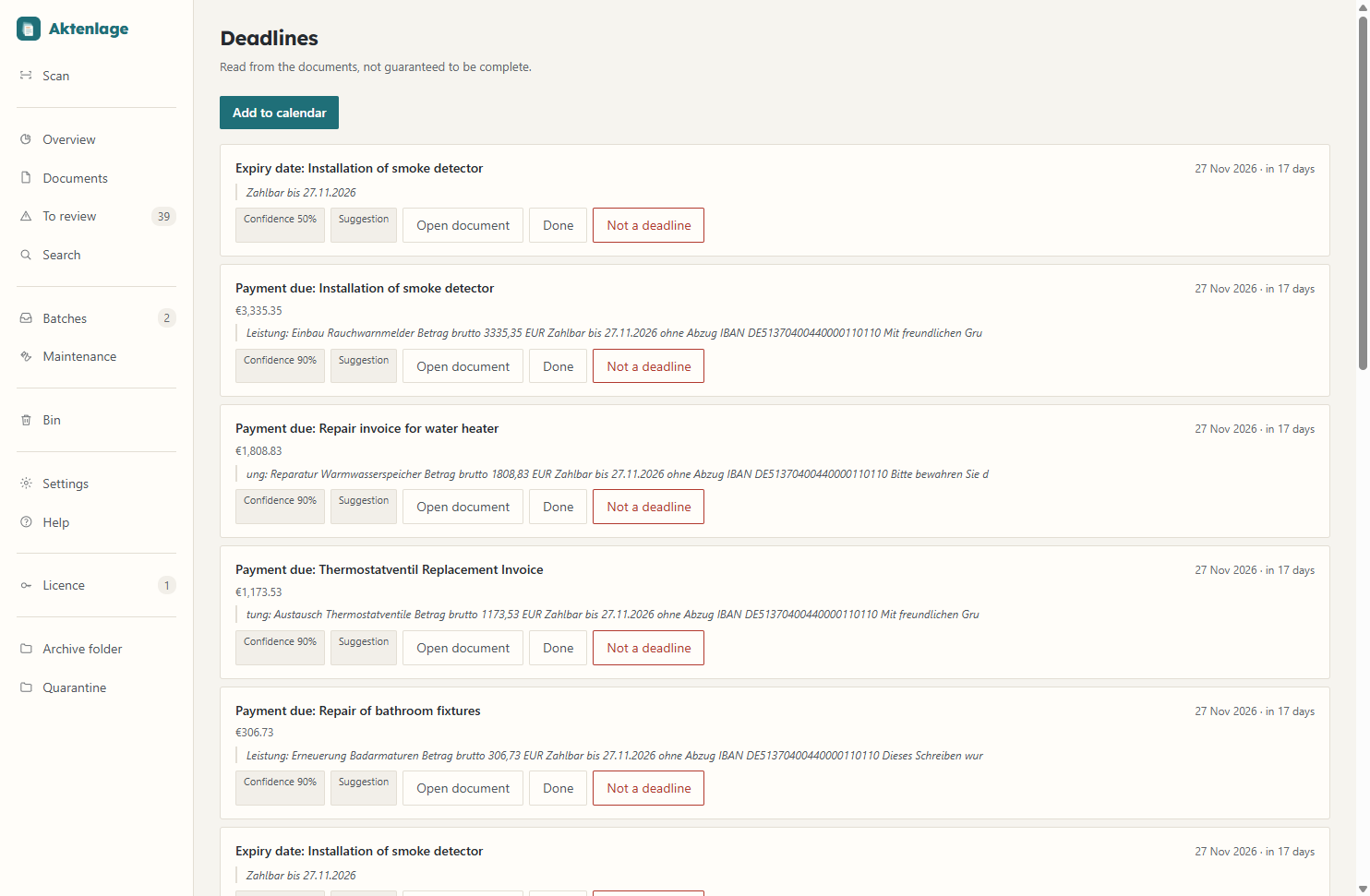
Under each deadline you see the passage it comes from. All details are made up.
Timo Britz first built Aktenlage for his own paperwork. Its rules grew out of using it every day.
That is why Aktenlage never deletes anything, every detail it picks out links back to where it appears in the document, and you approve every result yourself.
Price and licence
You pay once and then use Aktenlage with no subscription and no activation.
- Valid for all 1.x releases
- Updates as required by law
- One licence for all of one person's own computers
- The licence is checked without the internet
- Text recognition and AI language model included
Your filed documents stay accessible even without a licence.
What works without a licence
You can still search, view, print and export your documents. Without a licence, Aktenlage simply stops taking in new pages after the first 50.
No online activation
Aktenlage checks the licence itself. There is no licence server that has to be reachable.
Good to know
Your paperwork stays with you, in open formats.
On your computer
Aktenlage never sends documents over the internet. The language model runs on your machine too.
Readable without Aktenlage
Your archive is made of PDF and text files. There is no proprietary file format.
Nothing is ever deleted
Blank pages and duplicates are kept, and you can bring them back.
Easy to move
For a new computer, copy the folder and let the index rebuild.
How Aktenlage works
The technical page explains how Aktenlage takes a document from scan to archive, which rules it follows along the way and what data leaves your computer.
What Aktenlage cannot do
Please read these points before you buy.
Made for German documents
The interface, help and installer are in English, but recognition is designed for German paperwork.
Deadlines are only suggestions
Aktenlage does not know statutory time limits or public holidays, so please check every deadline it finds against the original.
Recognition is not error-free
No particular recognition rate is promised, which is why Aktenlage asks you to confirm every document.
No substitute for a backup
You are responsible for backing up your archive.
One computer, one person
Several workstations cannot work with the same archive over a network drive at the same time.
No certified PDF/A
The PDFs follow the PDF/A-2b archive format but have not been officially validated or certified.
Not a GoBD archive
Aktenlage does not provide audit-proof archiving under German tax rules (GoBD), as required for business records.
Download
There are two editions. The lean edition scans, files and searches your documents. The AI edition also includes a language model that writes more detailed titles and summaries.
SHA-256 without AI: 235a046dc935be223170b893e1e1be0e66cb620c83d02e745d4fb547abef94e2
SHA-256 with AI: 8c732aaa15e801b21f269ae2d14fbef3ce4d2529eed4c5bba5806658212c3430
The installer is not digitally signed, so Windows SmartScreen shows a warning the first time you run it. Click “More info” and then “Run anyway”. If the Windows feature Smart App Control is switched on, it may block the program.
System requirements
- Windows 10 from version 1809, or Windows 11, 64-bit.
- WebView2, a Microsoft component that displays the program window. It comes with Windows 11. WebView2 connects to Microsoft on its own; Aktenlage sends no content through it.
- A scanner with a WIA or TWAIN driver, the two usual scanner interfaces on Windows. WIA has been tested with a real device, TWAIN so far only in simulation. Without a scanner you can import PDF files and photos.
- About 3 GB of disk space with the language model, about 0.5 GB without AI.
- Interface in English or German. Recognition is designed for German documents.
- No administrator rights needed.
Where your data is stored
If you uninstall Aktenlage, your settings and your archive are kept.
The folders in detail
- Program
%LOCALAPPDATA%\Programs\Aktenlage - Settings
%APPDATA%\Aktenlage - Archive
%USERPROFILE%\Aktenlage
Aktenlage without the language model
Scanning, recognising, splitting, sorting and searching all work without a language model; only titles and summaries are shorter. The edition without AI sorts documents by fixed rules. If you install the free program Ollama yourself, you can add a language model later.
Buying and questions
The easiest way to ask about the program, your licence or an invoice is this form.
How buying works
- “Buy now” takes you to the Digistore24 order form.
- There you pay by PayPal, card, SEPA direct debit, Klarna or prepayment. Digistore24 sells as a reseller and issues your invoice.
- After payment you see your licence on the confirmation page, and you also receive it by e-mail.
- Paste the licence into Aktenlage (1.6.0 or later) under “Licence”.
- Provider
Program and licence: Timo Britz, Cologne. Address, telephone number and mandatory details are given in the legal notice. The seller is the Digistore24 group company named in the order form (depending on the country, Digistore24 GmbH, Hildesheim, or one of its sister companies).
- Price
€49 including VAT. No further costs arise.
- Payment
Via Digistore24 by PayPal, credit card, SEPA direct debit, Klarna or prepayment.
- Delivery
The licence is sent automatically by e-mail after payment, at the latest within two working days, and displayed on the confirmation page; for prepayment, once the payment has been received. The program itself can be downloaded above.