What Vokabelwerk can do
Everything runs on the user's own computer. Learning also works without the AI.
- 01
Review on schedule
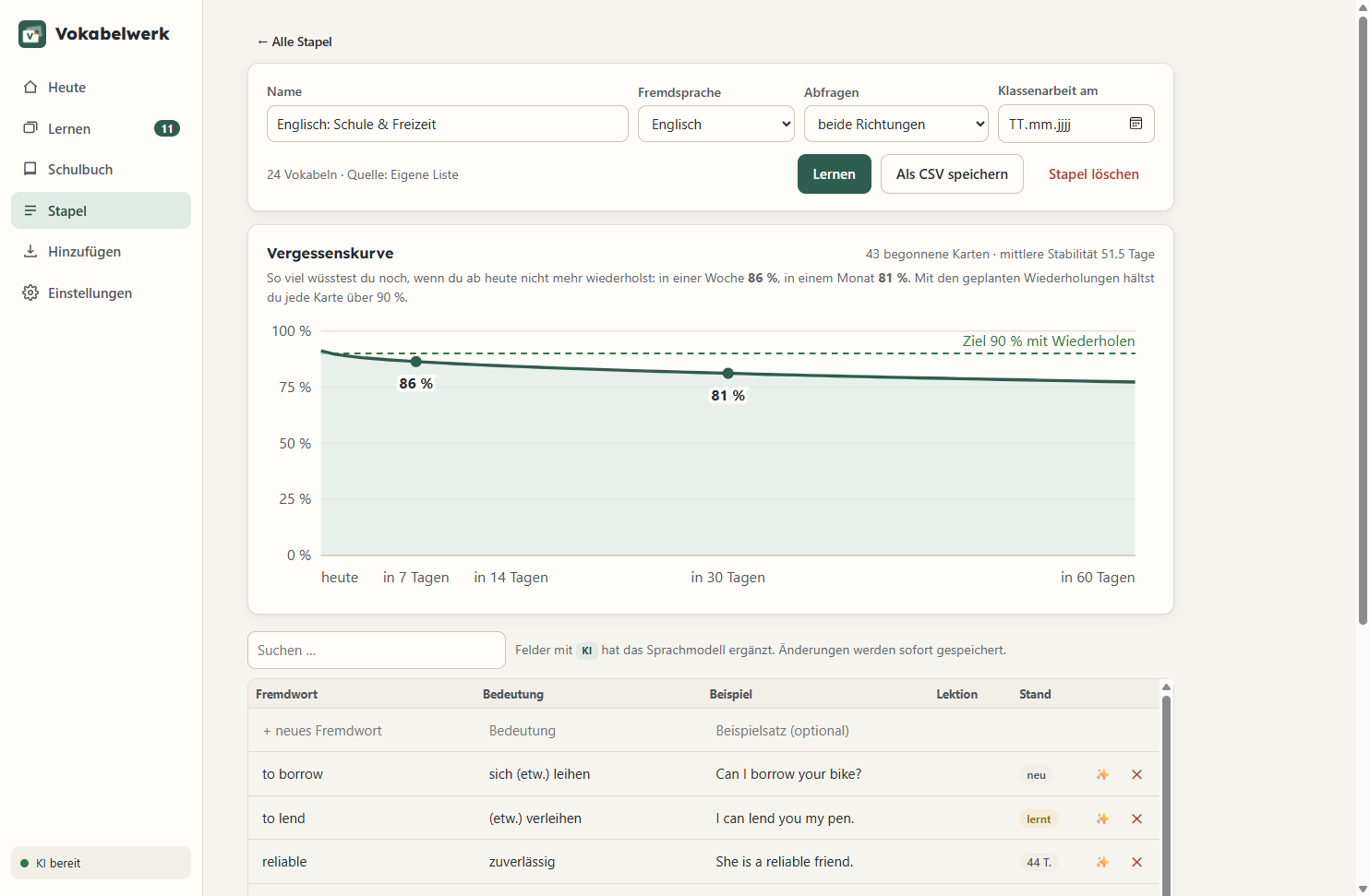
Each word has its own schedule, separately for each direction. The date of a class test can be entered.
- 02
Mistakes identified by name
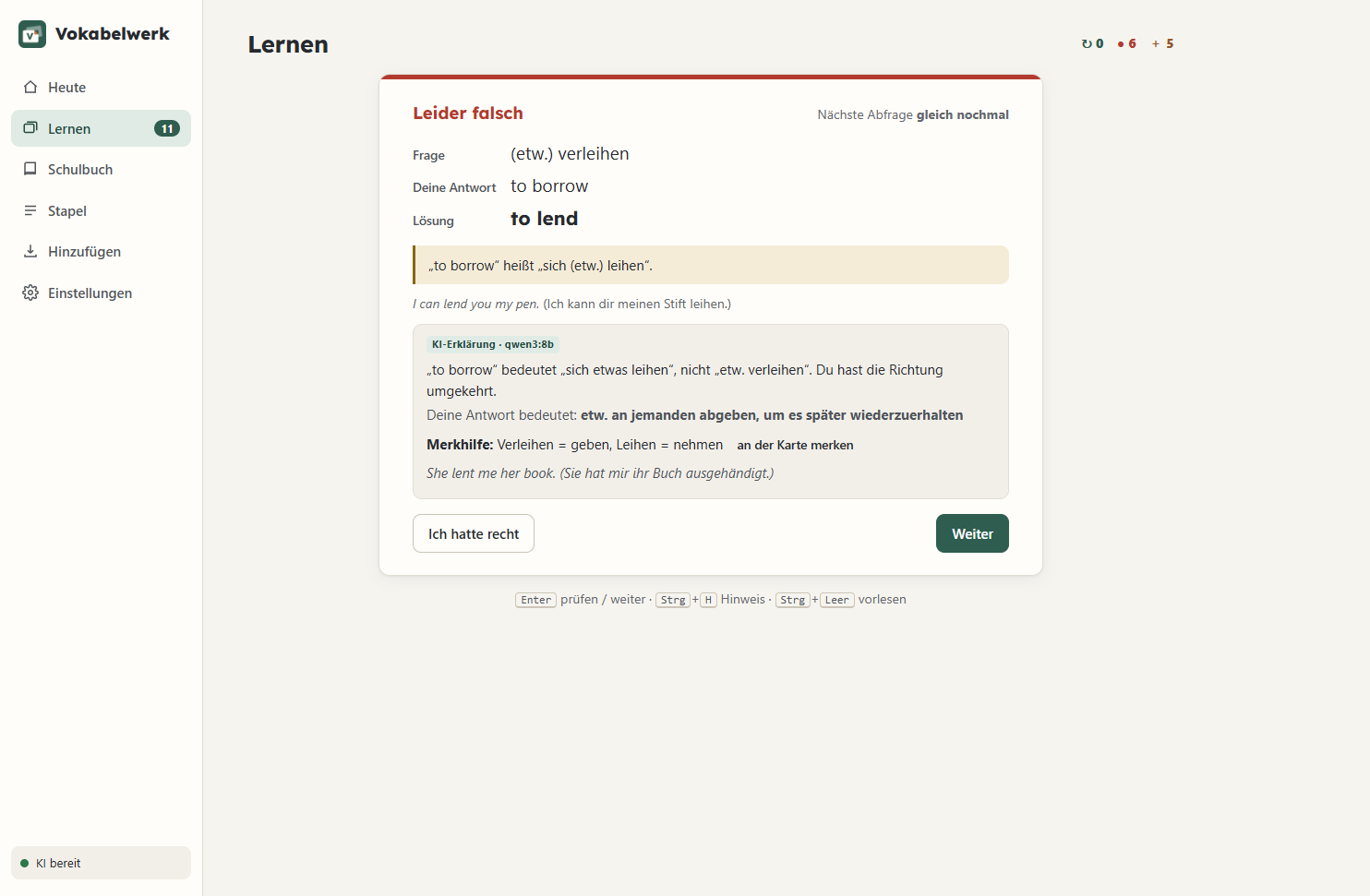
The program recognises typos, accents, articles, missing words, mix-ups and synonyms. This happens at once and without AI.
- 03
Explanation by AI
After a mistake, an AI explains what was wrong. Texts written by the AI are marked “KI” (AI) in the program.
- 04
Photo of the textbook page
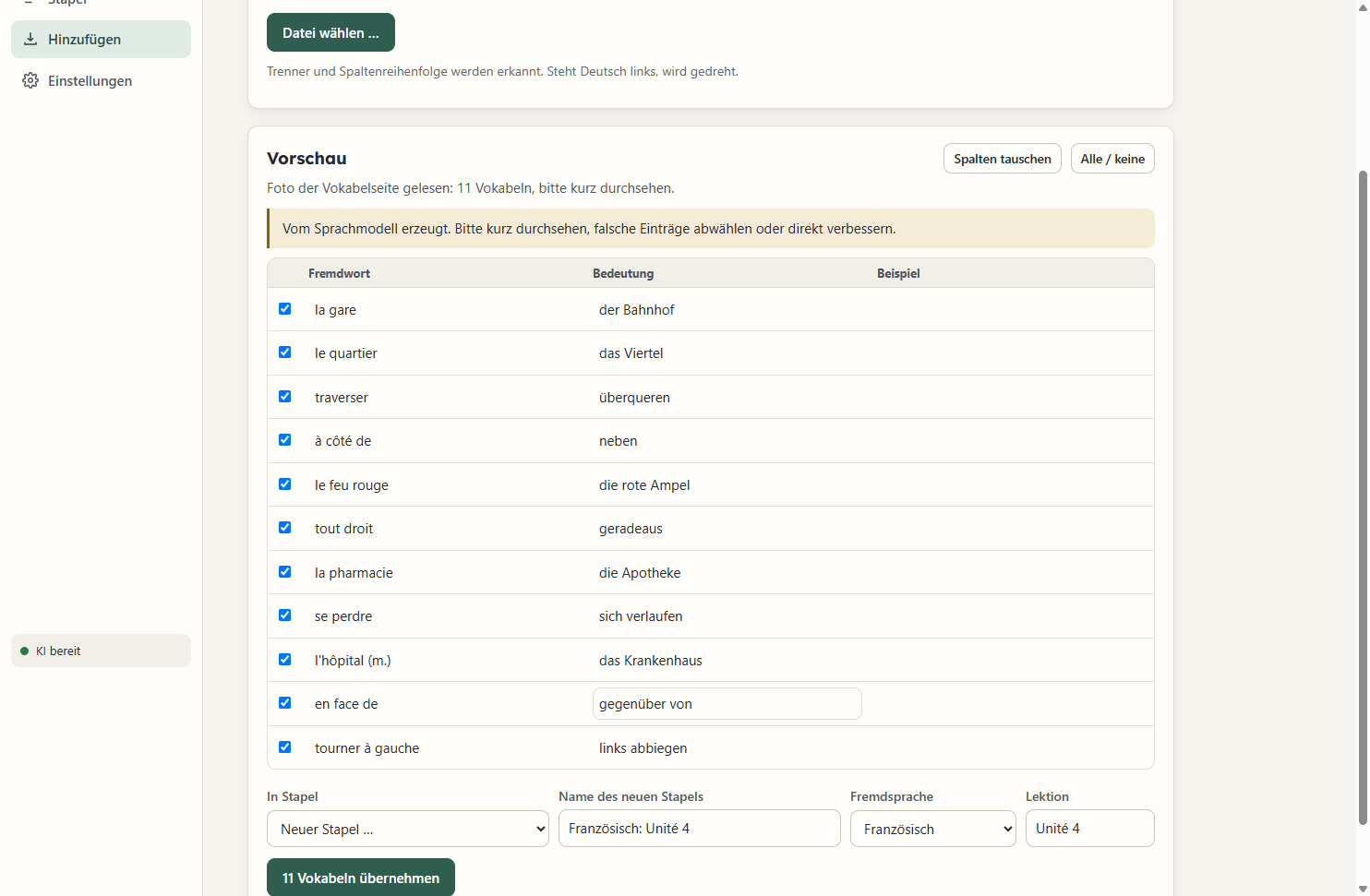
Windows reads the text from the photo. The AI corrects reading errors and forms the word pairs.
- 05
Typing and import
Typing works with the keyboard alone. Import from CSV, Excel, Quizlet, Anki and PDF, export as CSV. On request, the AI suggests words on a topic.
- 06
Daily backup
Learning progress is backed up every day. Restoring takes one click.
- 07
Textbook section
Volumes and units are set up for Green Line, Access and Découvertes. The words are added by photo or by typing.
- 08
Basic vocabulary
Almost 500 words each for English, French and Spanish, free under CC BY-SA.
How answer checking works
Fixed rules check the answer first. Only if they cannot decide does the program ask the AI.
In case of doubt, an answer counts as wrong. If it was right after all, one click on “Ich hatte recht” (I was right) is enough. The card remembers the word.
Sources of the basic vocabulary
Meanings: Wiktionary (wiktionary.org) via WikDict by Karl Bartel (wikdict.com), CC BY-SA. Frequency: FrequencyWords by Hermit Dave (github.com/hermitdave/FrequencyWords, OpenSubtitles 2018), CC BY-SA 4.0. Selection and example sentences: Vokabelwerk with a local language model. This pack is licensed under CC BY-SA 4.0.
Scope: 471 English words, 489 French words, 491 Spanish words.
Requirements and limitations
Fast AI answers need a graphics card.
System requirements
- Windows 10 from version 1809, or Windows 11, 64-bit.
- WebView2 from Microsoft. Windows 11 has it. If it is missing on Windows 10, the installer gives the link.
- Memory: 8 GB, 16 GB for the AI.
- Graphics card with 8 GB of memory for fast AI answers. Without one, the AI is much slower.
- Disk space: 2.9 GB with the AI service, 71 MB without. Plus 5.2 GB for the language model.
- Photo: Windows text recognition with a German or English language pack.
- No administrator rights needed.
- Without the AI, only the explanations and the generation of words are missing.
What Vokabelwerk cannot do
No publisher vocabulary
The textbook publishers' lists are protected and not included. Vokabelwerk has no connection with the publishers.
Text recognition with gaps
Text recognition sometimes misses a word. The program points out such lines.
The AI can be wrong
Texts written by the AI can be wrong.
Schedule not personalised
The schedule uses fixed default values. It does not yet adapt to the individual learner.
Windows only
Vokabelwerk does not run on macOS, Linux or phones.
Privacy
Words, answers and learning progress remain on the user's own computer.
- The data is stored in the user's own Windows account. It is not encrypted. The program sends none of it to Timo Britz.
- Once a week, Vokabelwerk checks timobritz.de for a new release.
- When a textbook is opened, it loads the list of vocabulary packs at most once a day.
- No data from the program is sent, only the IP address.
- Both can be switched off: Settings → About → “Sync with timobritz.de” („Einstellungen → Über → Mit timobritz.de abgleichen“). It is switched on by default.
- The AI works on the user's own computer; its online functions are switched off. It is downloaded from Ollama only at the press of a button.
- Read-aloud uses only Windows voices on the computer. No text is sent.
More in the privacy policy.
Price and licence
One purchase covers all 1.x releases. There is no subscription and no account.
Try it free first.
- For one learner, in a child's name on request
- All 1.x releases with no expiry date
- Security updates until at least 31 December 2028
- No activation, no account
- Licence check without internet
- AI service included in the full package
Note: the program's interface is available in German only. Only the German version of the terms of use is legally binding.
Learning progress never depends on the licence.
Trial mode with 150 words
Without a licence, up to 150 of the user's own words can be added. Vocabulary packs do not count. Learning, editing, backup and export always work.
Licence
The licence is a text file. It is inserted under Settings → Licence („Einstellungen → Lizenz“). The program checks it without internet.
Download
The program downloads the AI (about 5 GB) at first launch at the press of a button.
Full, with AI service
Includes the Ollama AI service. Suits most computers.
SHA-256: 49943fd1f0d3209af85e20f090f5b312b42422ae456a8d566786f37a1a4c60eb
Lean, without AI service
For computers where Ollama is already installed.
SHA-256: a00d66d9ca168b49956c9d05daeee6a6212390eddd0db7600b4d9fc2a709f8d0
No code signature. Windows SmartScreen therefore warns on first launch. Continue via “More info” and “Run anyway”.
On a newly set up Windows 11, Smart App Control can block the start entirely. Once switched off, it can only be switched back on by reinstalling Windows.
Storage locations
- Program
%LOCALAPPDATA%\Programs\Vokabelwerk - Learning progress
%APPDATA%\Vokabelwerk\vokabelwerk.db - Backups
%APPDATA%\Vokabelwerk\sicherungen - Licence
%APPDATA%\Vokabelwerk\lizenz.txt
Uninstalling leaves learning progress, backups and licence in place.
Releases
- 1.0.4
-
29 September 2026
The AI starts more reliably at the first program launch.
- 1.0.3
-
29 September 2026
Icon and interface in chalkboard green.
- 1.0.1
-
29 September 2026
New program icon. Learning progress is kept during the update.
- 1.0.0
-
28 September 2026
First release.
Questions
Questions about the program or the licence can be sent with this form.
- Provider
Timo Britz, Cologne. Address and further details are in the legal notice.
- Withdrawal
Digistore24's cancellation policy applies. Consumers can withdraw within 14 days, even after receiving the licence.
- Terms
Usage rights and liability are set out in the terms of use.