What it is about
Using two stepper motors, the cocktail machine moves a carriage (X axis) with the glass under one of six drink slots. There the Z axis triggers a mechanism that dispenses one portion – a slot can also be a pump. Everything is operated via a web page that the ESP32 serves itself: simply join the Wi-Fi with a phone, tablet or PC, open the address, tap a drink. No additional server, no installation needed.
There is now also an Android app written in Kotlin. On start-up it looks for the machine by itself: first the last address used, the hostname and the fallback Wi-Fi, then the entire subnet. The machine is recognised by its response to the configuration query. The app speaks the same interface as the web interface; the firmware did not have to be touched for it. It is a convenience, not a requirement.
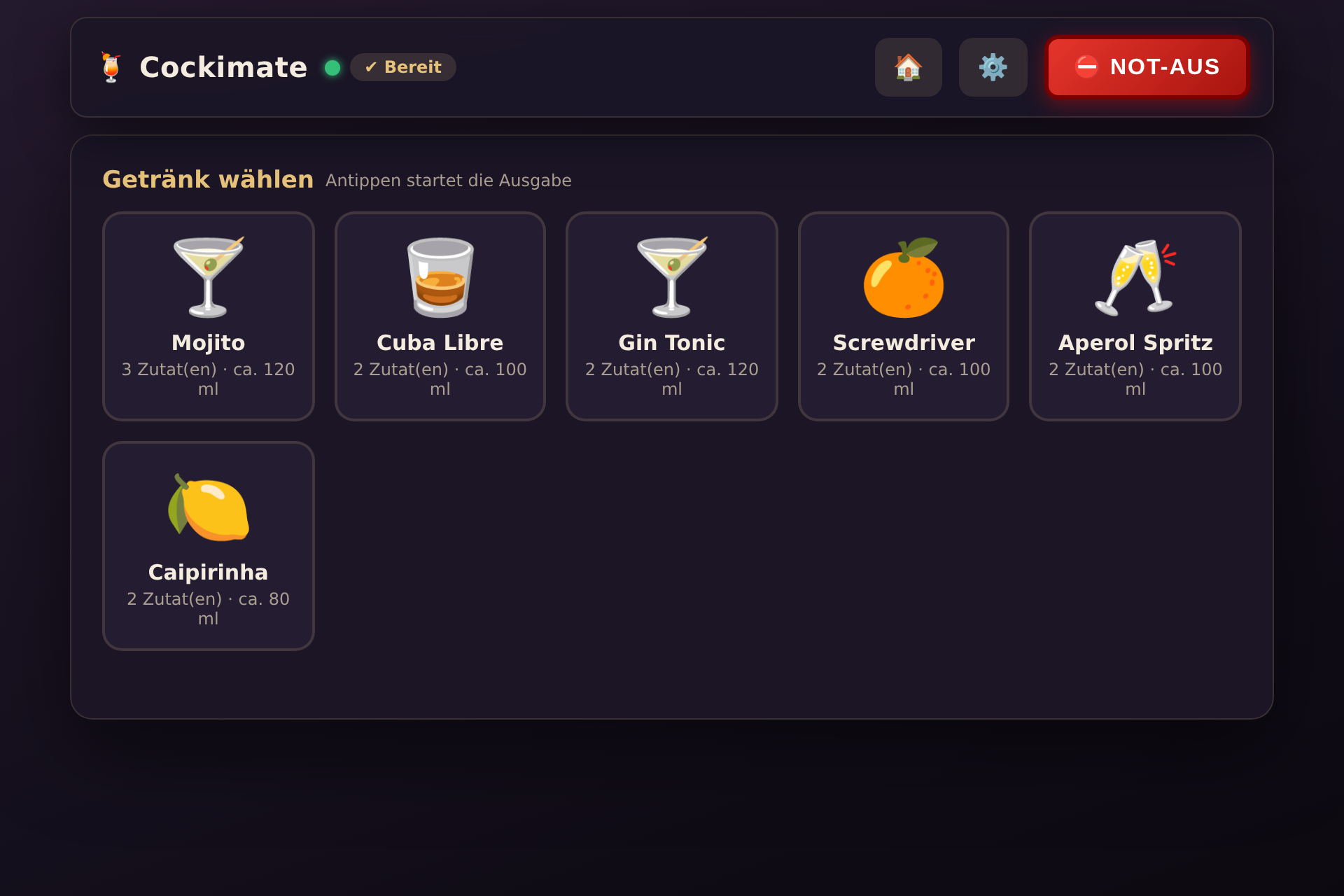
Try the machine
A replica of the real controller: the carriage travels along the X axis under the selected slot, and the Z axis presses against the release mechanism – about 20 ml per stroke. At the end comes the homing run to the zero point, where the glass is removed. Slot 6 is designed as a pump and runs on a timer.
What the machine can do
Operation in the browser
Large drink tiles, ideal for a tablet as a permanently installed panel. A tap is all it takes.
Teach-in by click
Slot positions, Z height and dispensing position are approached by hand and saved – no calculating.
Recipes & pump
Drinks as “slot × portions”. A slot can be a pump with its own Z position.
Safety first
Emergency stop, software end limits, speed limits, homing abort and limited queues.
Router or standalone
Join the home Wi-Fi – or the machine sets up its own Wi-Fi, with no router at all.
Guest mode
Guests only see the drinks and the emergency stop. Administration is behind a password.
A look at the interface
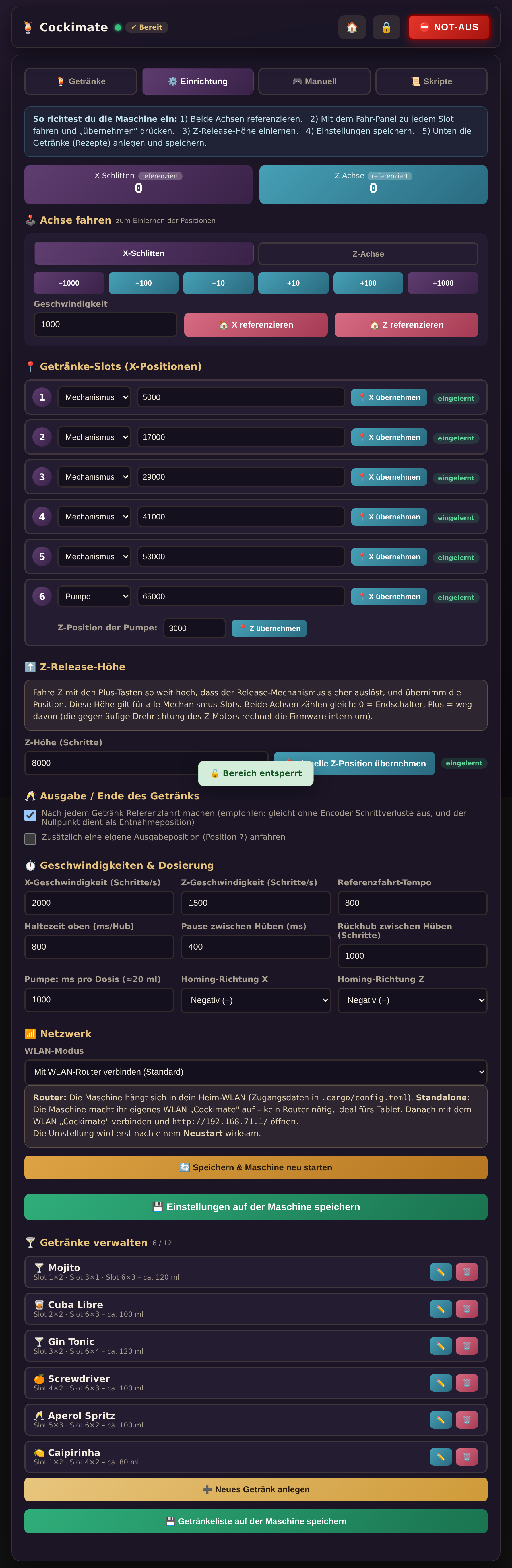
Everything is taught in the protected area: the six slots, the Z release height, speeds and dosing times. Drinks are created there with an icon and a recipe.
Everything is stored permanently on the ESP32 (NVS flash) and survives power cuts and restarts. Every device on the Wi-Fi sees the same configuration.
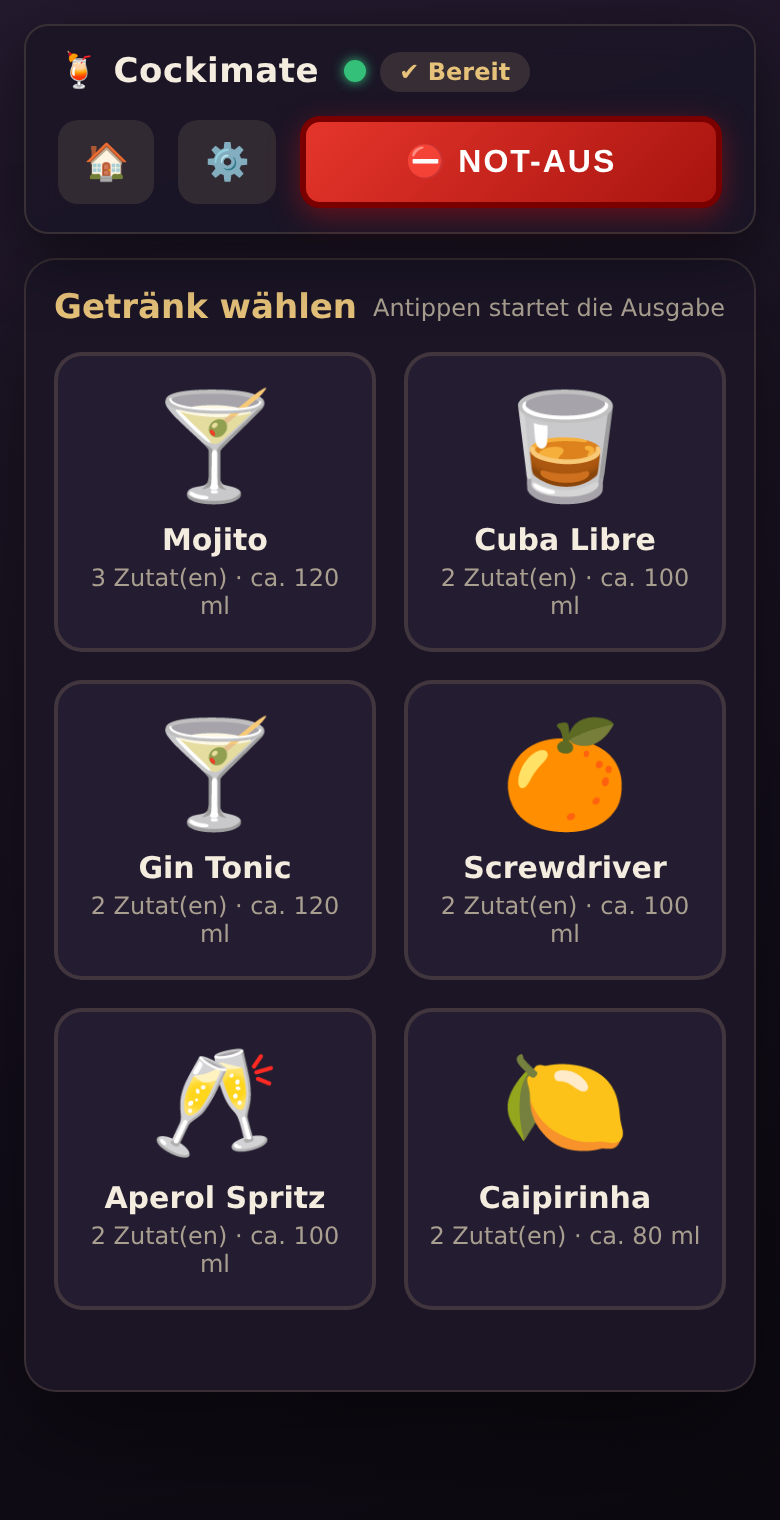
The interface is responsive and works just as well on a phone. The emergency stop is always within reach, as is homing – for guests too, without a password.
On first start, a few example drinks are ready as suggestions, so it is immediately clear what recipes look like.
Getting started
What is needed: an ESP32, the mechanics (two axes with stepper motors and limit switches) and the Rust ESP toolchain. Then:
- Enter the Wi-Fi details: copy
.cargo/config.toml.exampleto.cargo/config.tomland fill it in. - Build and flash the firmware:
cargo run --release - Open the interface at
http://cockimate/or, in standalone mode, athttp://192.168.71.1/