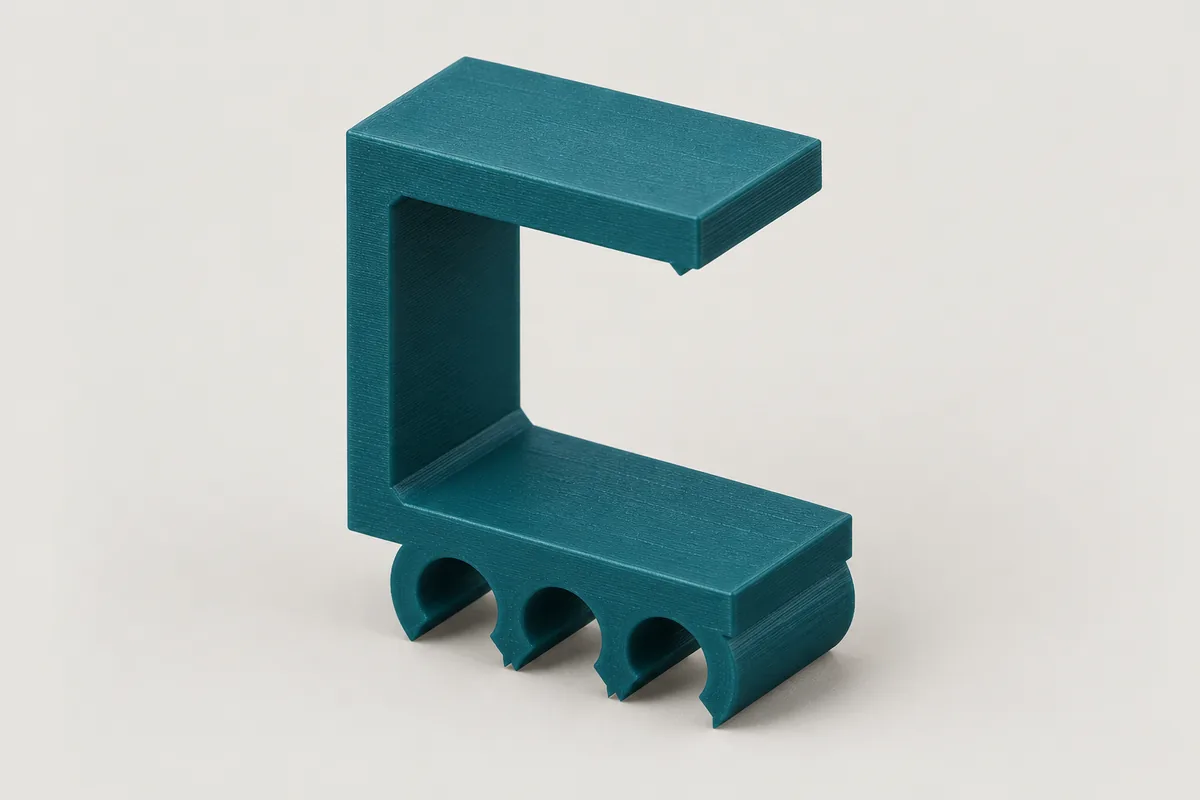
Free of charge and without warranty. How well a holder fits and holds depends on your printer, the material, the cable and the surface. Check every printed part yourself before you use it. The terms of use apply.
How it looks in use
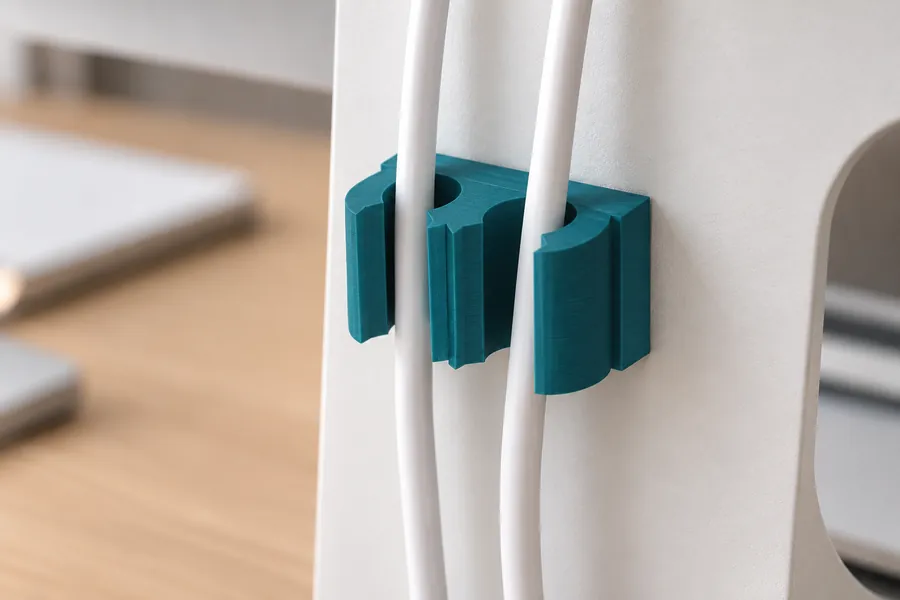
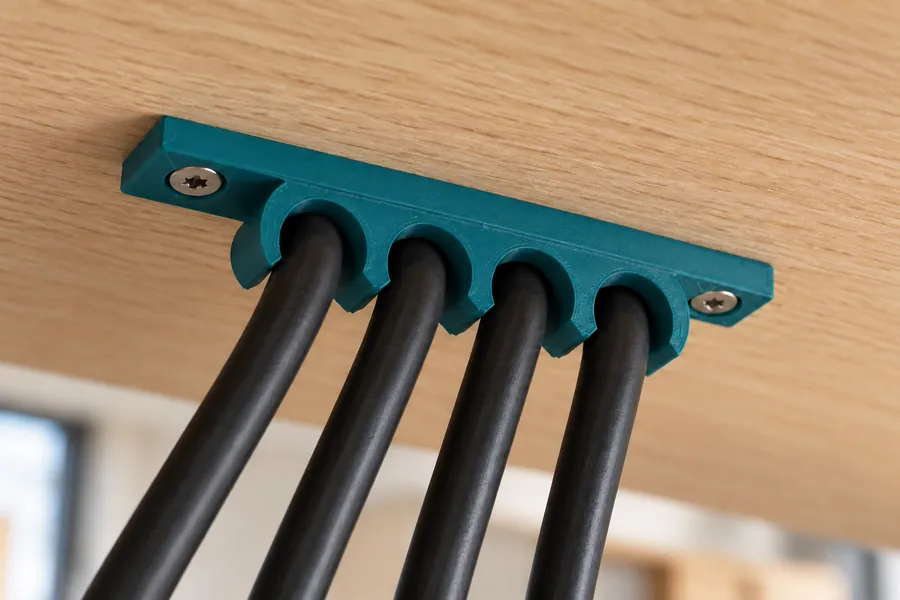
AI-generated example images in a small and a large size, not photos of prints.
How the generator works
First measure the outer diameter of the cable, ideally with a calliper. For a bundle of several cables, use the diameter of the whole bundle. Then set how many cables should sit side by side in the holder. Each cable gets its own clip with an opening that you press it through.
There are three ways to fix the holder. You push the clamp onto the edge of the desk top from the front, without any tools. For this, enter the thickness of your desk top. With screws, tabs on the left and right hold the holder on the wall or under the desk. With adhesive tape, you stick the base plate onto a smooth surface.
The fit sets how firmly a cable is held in its clip. "Snug" makes the clip 0.3 mm wider than the cable, "Loose" 1 mm wider so that the cable can still slide. "Tight" makes it 0.5 mm narrower. In "Simple" mode the generator sets the wall thickness, width and clamp to suit. In "Pro" mode you set these values yourself. Your input is kept when you switch modes.
Clamp for the desk edge
The clamp wraps around the desk top like a U. The base plate with the clips sits under the desk, the arm lies on top of the desk. In "Simple" mode the gap between them is 0.5 mm narrower than the desk top, and there is a small bead at the tip of the arm. The clamp springs open a little as you push it on and then holds firmly. The cables run along the edge of the desk.
The clamp suits desk tops from 15 to 40 mm. Measure the top right at the edge, because some tops are thinner there or have an edge band. PETG is the best choice for the clamp because it is springy and does not break as easily as PLA.
Fixing with screws
With screws, the tabs sit to the left and right of the clips. For wood and chipboard, use a countersunk wood or chipboard screw. The generator shows the matching screw length below the preview. It also checks whether a screwdriver or cordless drill can reach the screw head straight on.
How the cable holder is printed
The STL file is already oriented the way it should be printed: lying on its side, as the drawing shows it. Every printed layer then contains the whole clips and the whole clamp. Both spring along the layers and do not break as easily along a layer line. You do not need support material.
In this orientation the screw holes are horizontal. They get a small roof with a 45° slope at the top so that they print cleanly without support material.
How strong the holder is
The generator does not show a load for cable holders. How firmly the clip and clamp hold depends heavily on the fit, the material and the print. For ordinary cables at a desk this is usually enough. Do not hang devices or power strips on the clips; fix such loads separately.
Frequently asked questions
The clamp is too loose on my desk. What can I do?
Increase the clamping in "Pro" mode, for example from 0.5 to 1 mm. The gap then becomes this much narrower than your desk top. If the clamp is too tight, reduce the value. First check that you measured the desk thickness right at the edge.
The cable will not clip in. What can I do?
Choose a looser fit or make the opening larger in "Pro" mode. An opening of 80 % means the gap is 80 % as wide as the cable. The larger the value, the easier the cable goes in and the less firmly the clip holds it.
Which material should I use?
PETG is the default because it is tougher than PLA and is less likely to break when you clip a cable in or push the clamp on. PLA also works for clips that you screw or stick on. For the clamp on the desk edge, PETG is the better choice.
Will the cable holder stay put with adhesive tape?
On smooth, clean surfaces such as painted wood, plastic or metal, double-sided mounting tape usually holds well. Below the preview you will find the size of the adhesive area to cut the tape to. On rough or dusty surfaces tape holds poorly; use screws or the clamp there.
Can I save or share my settings?
Yes. All settings are stored in the page address. Use the "Copy link" button and save the link as a bookmark or send it on. Anyone who opens the link sees exactly your cable holder.
The generator runs entirely in your browser. Your dimensions are not transmitted. When you download a file or copy the link, the page counts anonymously which generator, mode, material and screw type were used.