Free of charge and without warranty. How much a part really holds depends on your printer, the material, the screws, the wall plugs and the surface you mount it on. Test every printed part yourself with a good margin before you put weight on it, and do not mount it above places where people spend time. The terms of use apply.
How it looks in use
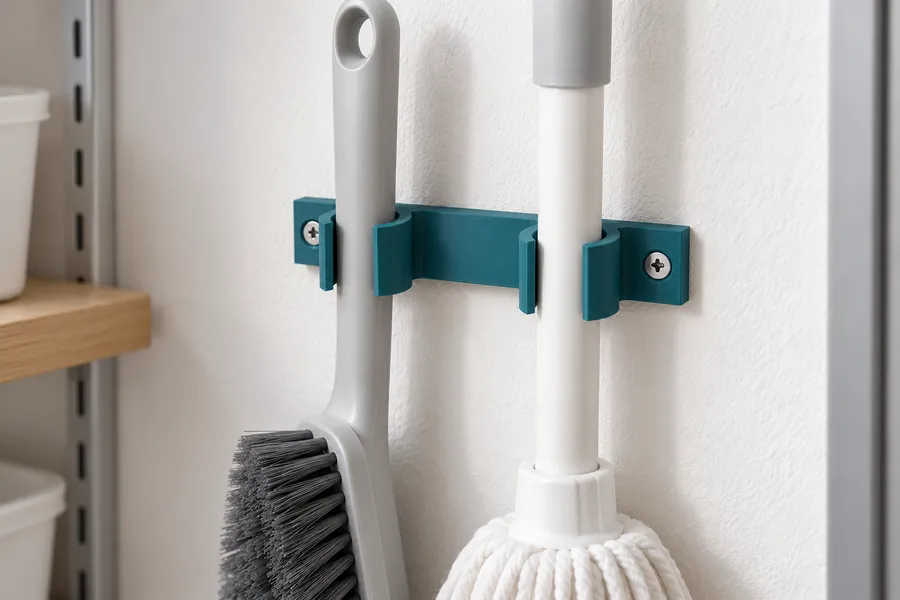
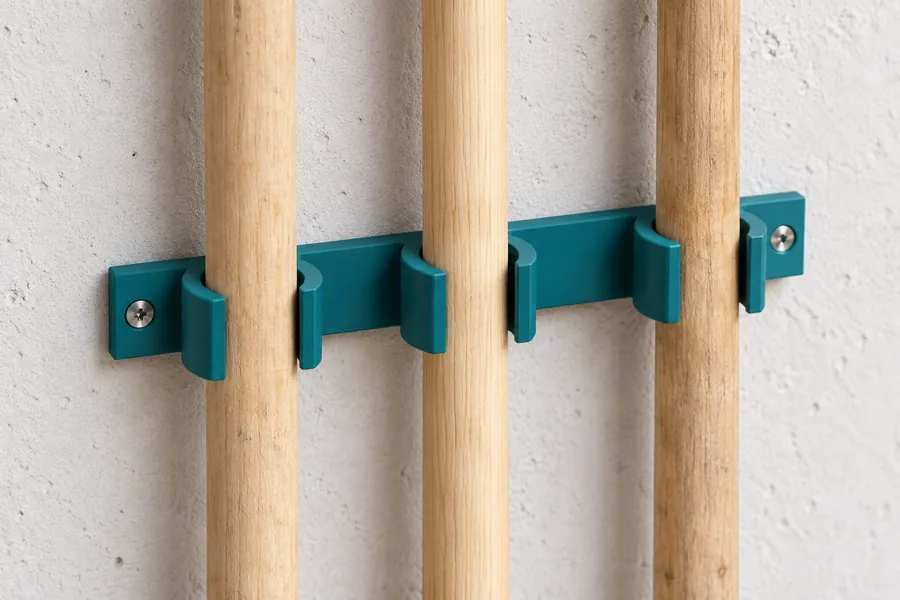
AI-generated example images in a small and a large size, not photos of prints.
How the generator works
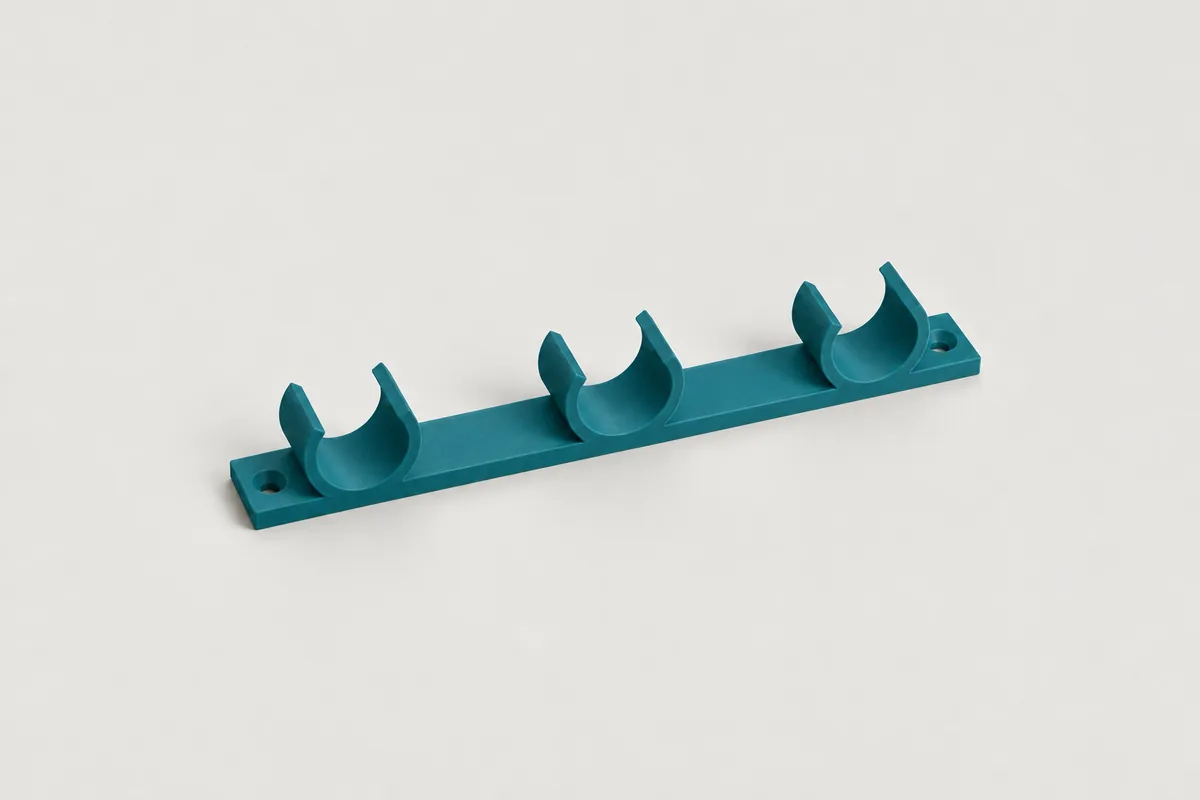
First measure the diameter of the handle, ideally with a calliper. Many broom and tool handles are 22, 24 or 28 mm. Then decide how many tools should hang side by side. Each slot is an open clip into which you press the handle from the front. The clip opens slightly and then holds the handle in place.
The grip sets how firmly the handle sits. With "Medium" the clip is 0.5 mm narrower inside than the handle, with "Firm" 1 mm. With "Light" it is exactly as wide as the handle and holds it only loosely. In "Simple" mode the slots are about 4 cm further apart than the handle is thick, so you can grab each tool easily.
In "Simple" mode the generator sets the wall thickness, height, opening, plate and tabs to suit the handle and the screw. In "Pro" mode you set these values yourself, as well as the clearance in millimetres, the slot spacing and the distance of the handle from the wall. Your input is kept when you switch modes.
Distance from the wall
Brooms and scrubbing brushes have a wide head at the bottom. If the tool hangs close to the wall, the head presses against the wall and the tool hangs at an angle. In "Pro" mode you can therefore set a distance from the wall to the centre of the handle. A neck then joins the clip to the rail.
Screws and mounting
The screws sit in tabs at both ends of the rail. On a long rail you can also put a screw in every gap between two slots, so the rail sits firmly against the wall in the middle as well. For wood, wall plugs and chipboard, use a countersunk wood or chipboard screw. The generator shows the matching length below the preview.
The generator also checks whether a small or large screwdriver and a cordless drill reach each screw head straight on. With "Show assembly" you can watch this as an animation in the preview.
How the holder is printed
The STL file is already oriented the way it should be printed: flat on the print bed, as the drawing shows it. Each printed layer then contains the whole clip. The clip flexes along the layers when you insert the handle and does not break as easily along a layer line. You do not need support material.
In this orientation the screw holes are horizontal. They get a small roof with a 45° slope at the top so that they come out cleanly without support material.
How strong the holder is
The generator does not show a load for broom holders. The handle is held only by the grip of the clip, and how well that works depends a lot on the handle: a varnished wooden handle slips more easily than one with a plastic coating, and heavy tools such as a spade pull down harder than a broom. Try the holder with your tools and choose a firmer grip if needed. Do not hang tools above doorways or seats, where a falling tool could hit someone.
Frequently asked questions
Which material should I use?
PETG is the default and recommended, because the clip has to flex when you insert the handle. PETG is tough and springs back. PLA is more brittle and can break at the opening, especially with a firm grip. For a holder outdoors or in a warm garage, ASA is a good choice.
The handle slides down. What can I do?
Choose the "Firm" grip or set a negative clearance in "Pro" mode, for example -1.5 mm. A taller clip also helps, because it holds the handle over a longer distance. On very smooth handles, a rubber band around the handle below the clip can give extra grip.
The handle is hard to push in. What can I do?
Choose a lighter grip or make the opening larger in "Pro" mode. An opening of 80 % means that the gap at the front is 80 % as wide as the handle. The larger the value, the easier the handle goes in and the less firmly the clip holds.
How many slots fit in one file?
Up to eight, as long as the rail fits on a 220 mm print bed. For 24 mm handles that is three slots in "Simple" mode. For more tools, print several rails and mount them side by side.
Can I save or share my settings?
Yes. All settings are stored in the page address. Use the "Copy link" button and save the link as a bookmark or send it on. Anyone who opens the link sees exactly your holder.
The generator runs entirely in your browser. Your dimensions are not transmitted. When you download a file or copy the link, the page counts anonymously which generator, mode, material and screw type were used.